Your private workspace.
Keep original material beside your notes as you organize it. Your workspace stays encrypted on your computer.
See how it worksDarkroom is in alpha. Alpha testing now includes macOS, Linux, and Windows test builds. There is no public download yet.

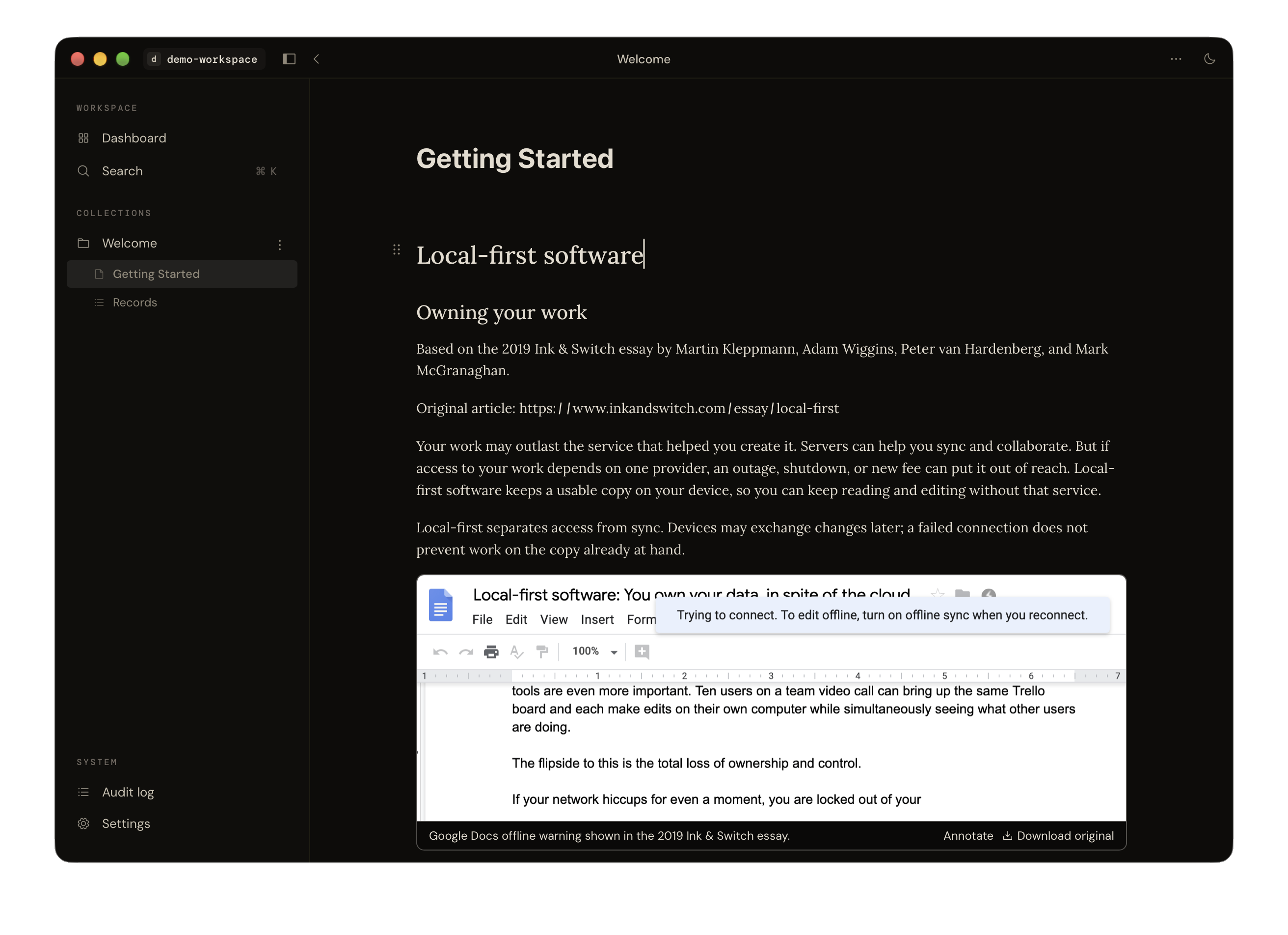
A local record workflow
Organize locally. Keep context together.
Darkroom keeps files, notes, and structured records together in an encrypted workspace on your device.
What does Darkroom add beyond encrypted storage?
Encrypted storage protects files at rest. Darkroom adds the workflow for organizing records and their context.
Record workflowHow Darkroom works
Keep context together.
- 01
Write
Draft notes and accounts in your own words.
- 02
Gather
Keep related conversations, files, people, and places nearby.
- 03
Export
Take a readable copy and its integrity details with you.
- 04
Verify
Check the exported package with the standalone verifier.
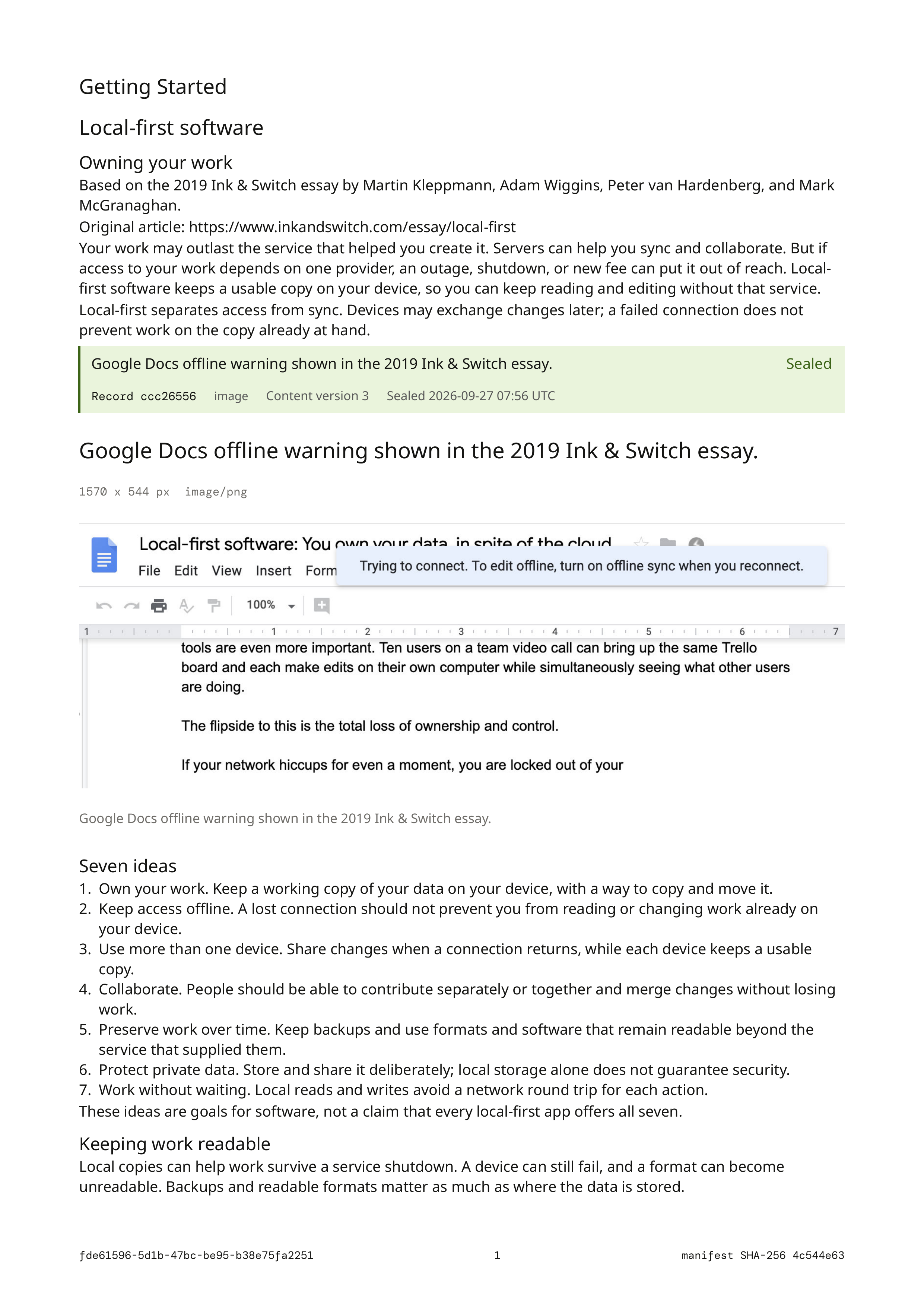
An export you can take with you.
The package includes a readable PDF, a separate integrity report, and a manifest. Original files are optional.
Explore the export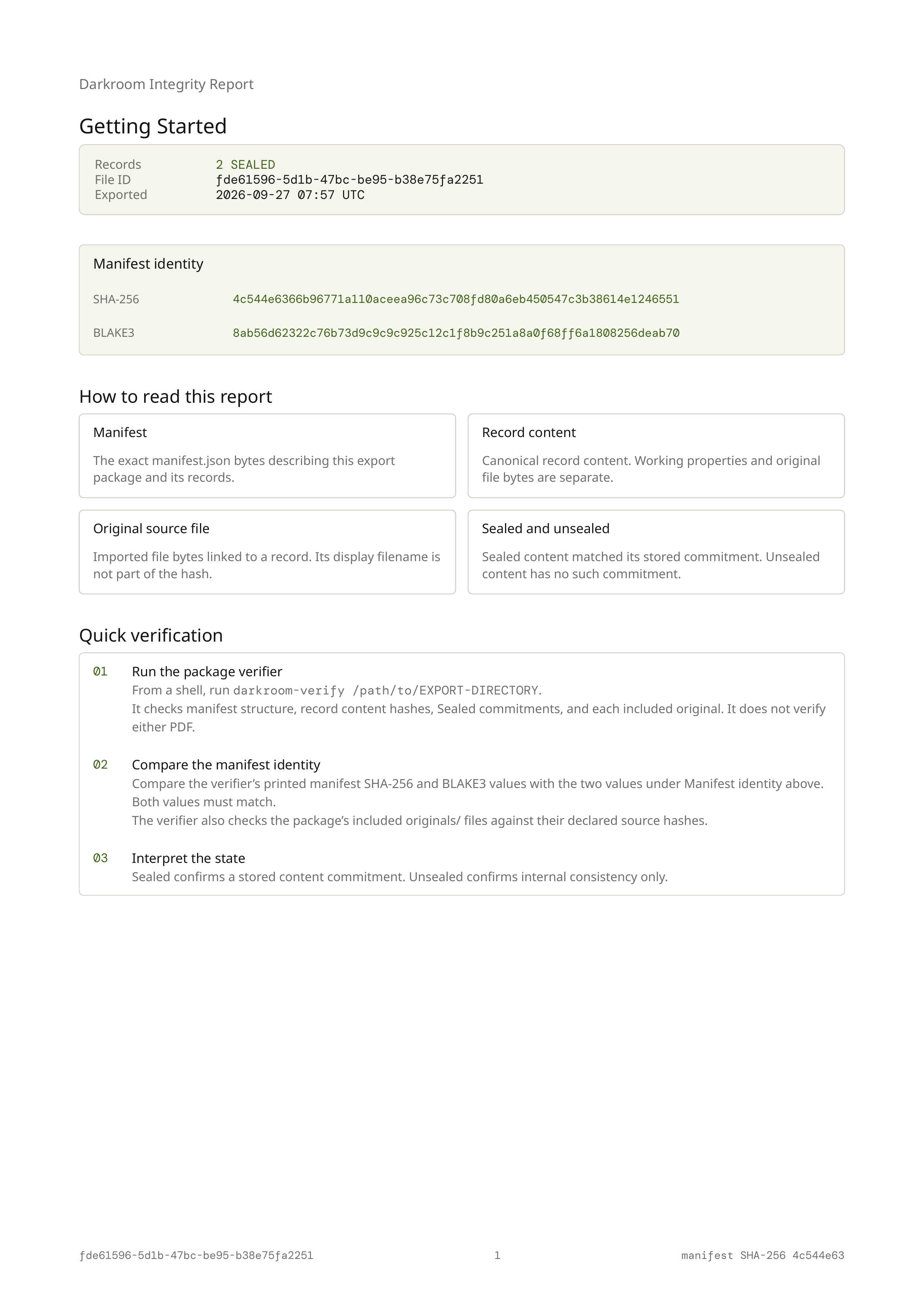
Common questions
Workspace questionsIs Darkroom available to download?
Not publicly yet. Alpha testing now includes macOS, Linux, and Windows test builds, but there is no public app download.
Does Darkroom upload my workspace?
Darkroom keeps your workspace on your computer and does not upload it to a Darkroom server. Map display and place lookup can contact external services; place searches send search text and map coordinates. Workspace encryption does not protect an unlocked session or a compromised computer.
Can I work offline?
You can write, organize records, search saved content, and export without an internet connection. Map display and place lookup use external services and may need a connection. The standalone export verifier also works offline.
What can I export, and is it encrypted?
You can export one file as a readable Content PDF, an Integrity PDF, and a manifest used for verification. Original imported files are optional. Exported files are readable outside workspace encryption, so anyone with access to the export folder can read them.
Can I verify an export today?
Yes. The standalone verifier is publicly available on GitHub, with build and usage instructions. It checks the manifest, record content, Seals, and included originals without Darkroom or network access. A pass checks package consistency; it does not verify PDF bytes, authorship, or source truth.
Early access
Request an invite
Darkroom is in alpha. Tell me a little about the work you want to bring into the early build.
- Briefly describe what you do.
- How do you plan to use Darkroom?
- Anything else you would like me to know?
Send your answers to invites@darkroomproject.org.